Existing systems
We build on the infrastructure and tools you already run, rather than asking you to replace them.
AI Systems Development Partner
Building a model is rarely the hard part. The hard part is making it actually work inside existing systems, real data, the way people already do their jobs, and the conditions it has to run under. a3gent designs all of that together and ships it as one product.
Approach
AI projects usually stall somewhere outside the model. We treat these four as part of the work from day one.
We build on the infrastructure and tools you already run, rather than asking you to replace them.
Medical imaging, physiological signals, voice — data that arrives in every format and quality, handled as real input.
Not just showing a result, but designing the path from that result to the next decision a person has to make.
Security, validation scope, failure behavior, who maintains it — settled before the system goes live, not after.
01 · Built solutions
Each solution below has a public demo you can try. When you adopt one, we agree on its scope for your environment.
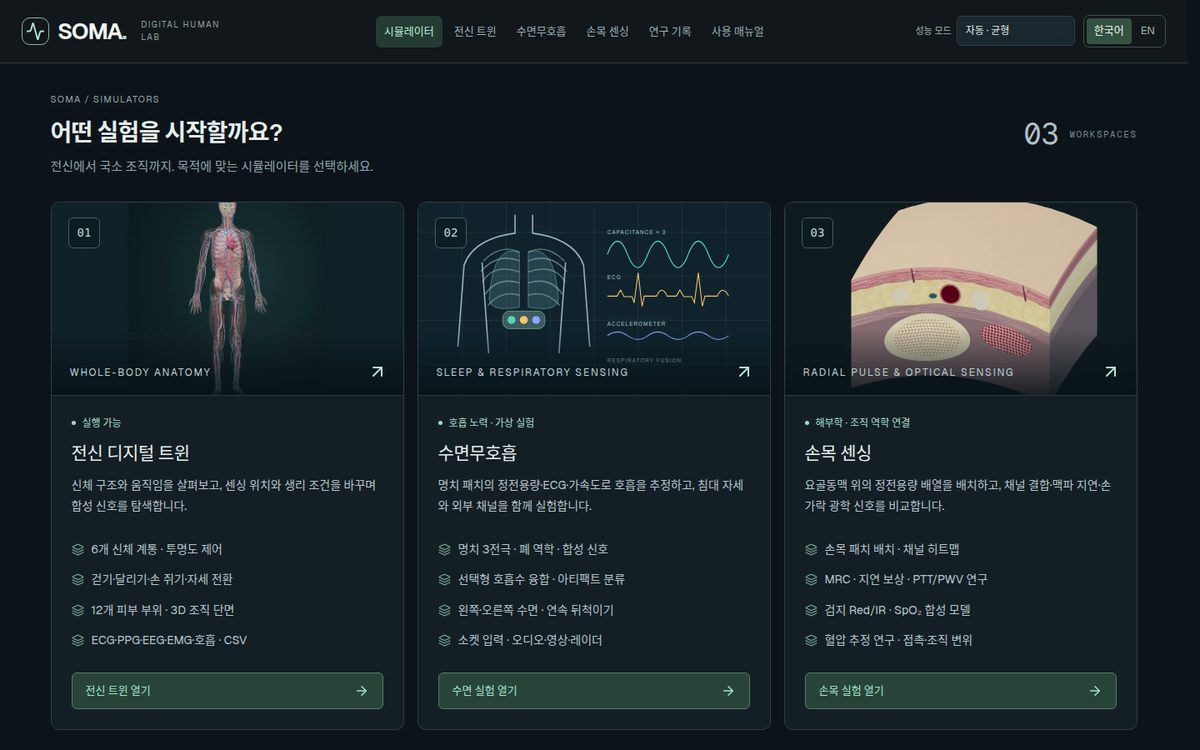
A biosensing digital twin for wearable-sensor experiments. Place virtual sensors on a full-body anatomy, vary physiological conditions, and explore the synthetic signals that result.
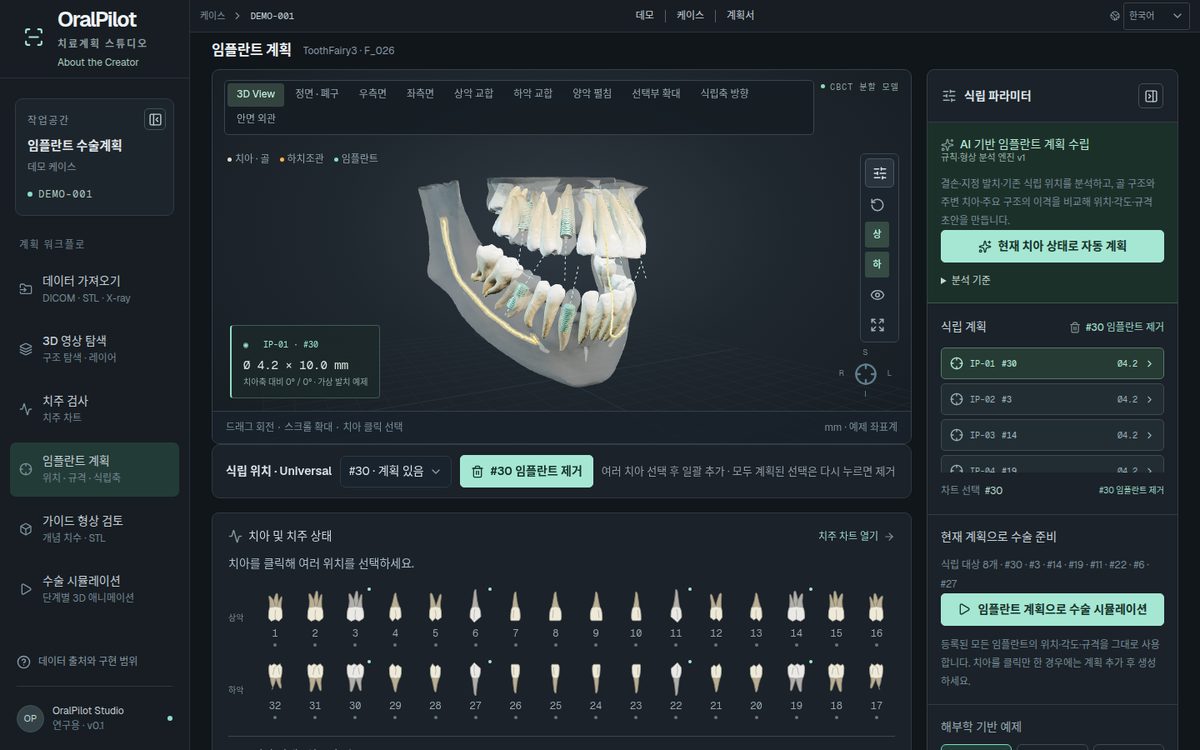
An implant planning studio that connects 3D anatomy, periodontal charting, implant placement and surgical simulation in a single flow.
02 · Case studies
Rather than a list of experience: for each case, the problem, the part that actually works, and the part that has not been validated yet.
SOMA · Biosensing digital twin
A wearable's signal changes sharply with placement, posture, movement and tissue. Checking that normally means building hardware and repeating human-subject trials, so early design decisions are slow and expensive.
Anatomy, sensor placement, physiological conditions and signal synthesis combined into one experimental environment. Researchers see how the signal responds first, then narrow down the real experiments.
A research environment built on synthetic signals. Continuous blood-pressure estimation and independent validation are designed as the next stage. Not for clinical decisions.
OralPilot · Implant planning studio
CBCT, intraoral scans, X-rays and periodontal records live in different tools and formats. Implant planning needs all of them at once — in practice, clinicians switch tools and combine them in their heads.
Six stages — import, 3D exploration, periodontal exam, implant planning, guide review, surgical simulation — joined into one on-screen flow. Clinical files never leave the browser.
Rule-based geometric search, not a trained model, validated on public cases for research use. Automatic segmentation and CT–scan registration are not yet implemented; it does not estimate bone quality or judge clinical safety.
Capabilities
Speech recognition and synthesis that hold up under real-world noise, latency and conversational flow.
Repetitive judgment and processing, connected across existing tools into automation you can actually operate.
Products that handle medical imaging and physiological signals — from data processing to interface to defining what is validated.
Experience leading development teams, so technical choices are weighed against schedule, staffing and maintenance.
03 · How to engage
Take only what you need. Adopting a solution is often enough on its own; custom development is added when it has to reach deep into your systems.
What you purchaseA license to an existing service or technology, plus the cost of deploying it
Best when your problem closely matches what an existing solution was built to solve.
What you purchaseHands-on engagement to integrate, extend and validate against your systems
Best when a solution needs to be fitted closely to systems and workflows unique to you.
Talk to us
Tell us the problem and the systems you run today.
We separate what existing solutions cover from what needs building.
Solution adoption, custom development, or a combination.
We agree on scope and validation criteria, then begin.
Contact
Contact details coming soon.